
Payment Form featuring Designations and Styling Selections

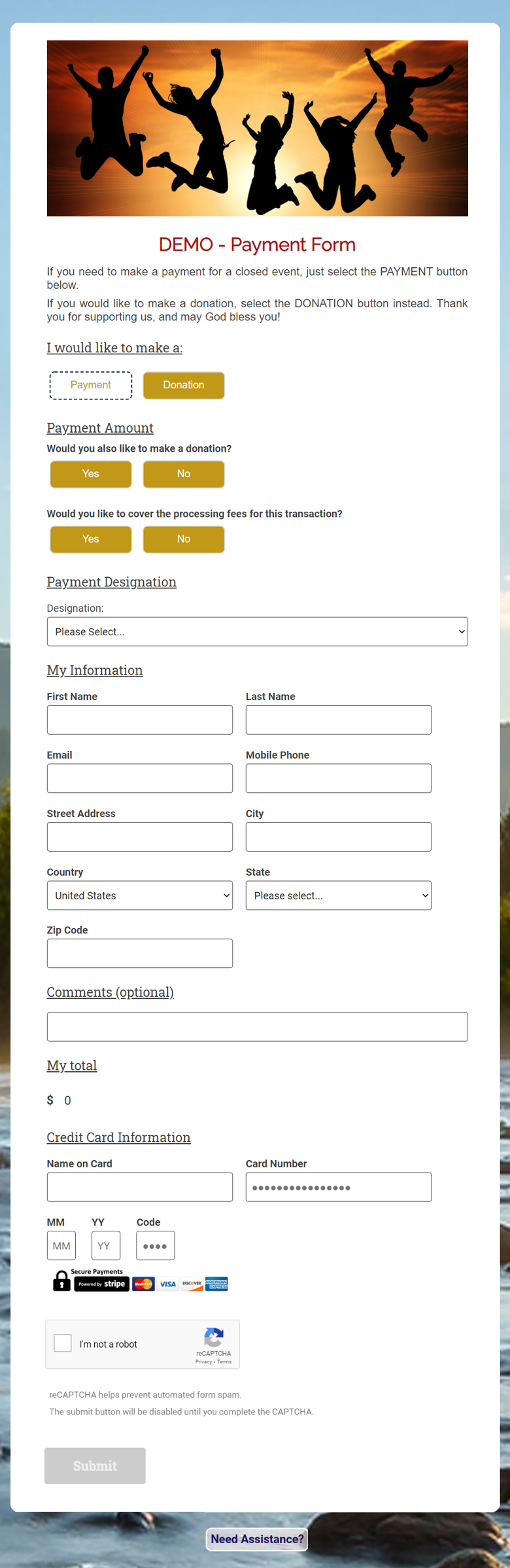
We offer secure, standalone payment forms that make it easy and convenient for your locality/organization to collect event payments after it has closed for registrations. If your attendees would like to donate, there is the option to do that with the Payment, or independently. You can include designations for Payment so you know where the payment gets applied, and designations for the independent Donation option as well.

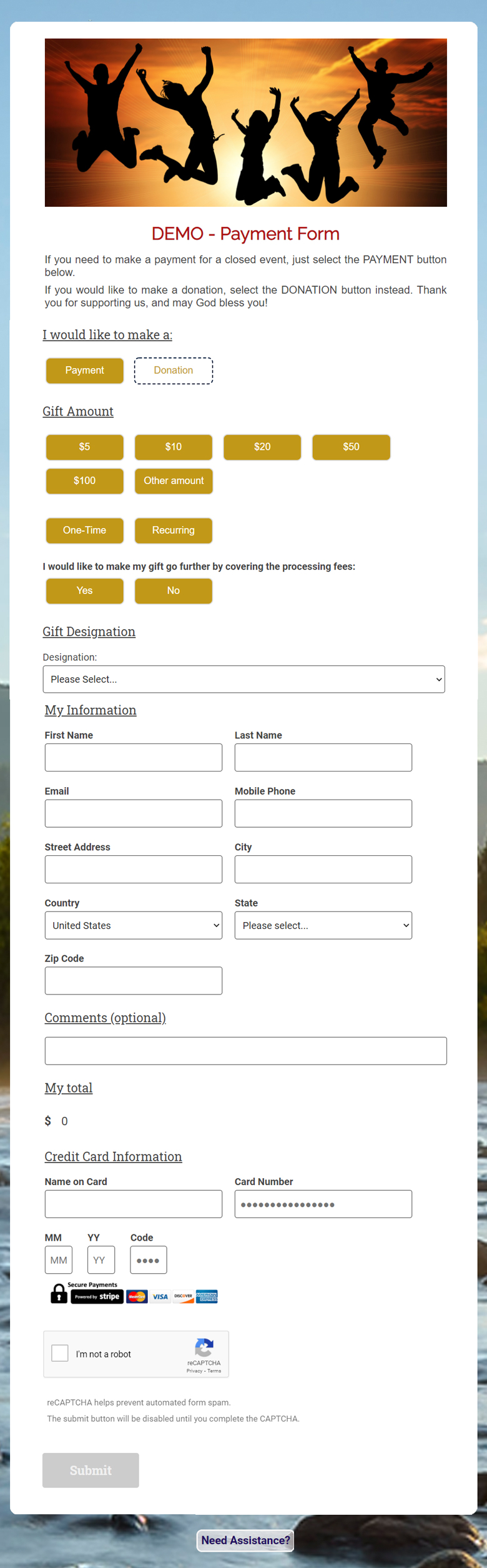
The payment form that is shown displays donation amount options, where you can choose the styling! Choose Font and Color of the title of your form, Button Color, Button Hover Color, and beautiful backgrounds. Once you receive your form and campaign, you will be able to modify the styling, the amounts and other options as well!

The product images show the 2 different tracks, one for Payment Form and the other as a Donation Form.

If you would like to test drive this form, you are encouraged to Click:

If you would like to read a help article about this form, Click:

Required fields are marked with an asterisk *.

$

Pre-Set Donation Amount Options Enabled

Enter the Number of Donation Amount Buttons you would like, minimum of 3 and maximum of 5.

Enter the dollar amount for each button:

Logo or Banner Image:

Select files Drag File Here

Add Optional Donation and Add in Processing Fees:

Form Background

You may click on the thumbnail images below to see a preview of how an example form looks with each background image. When you are ready, mark your selection of the background you choose.

Basilica

Basilica

Trees

Trees

River

River

Sunrise

Sunrise

Church

Church

Solid Misty Blue

Solid Misty Blue

Solid Olive Green

Solid Olive Green

Default Solid Blue

Default Solid Blue

Form Title and Customizations:

To preview what the different font options look like, click HERE

Button Colors:

Payment Designations

Gift Designations

Gift Designations are optional. Some localities collect donations for various causes. This is one way to track the donor’s designation for their gift.

Transaction Confirmation/ThankYou:

This is what the donor/attendee sees right after donation/registration.

You can preview the system Thank You/Confirmation form by clicking HERE

Thank You/Confirmation Emails:

You can preview the system Thank You/Confirmation email by clicking HERE

RC Community/Salesforce License fee of $120.00 USD has been added.

Note: Since you are applying for a RC Community/Salesforce license here, you do not need to order the same license separately or with another form request.

Contact information for this form/license: